


Side Kick 1/2
The Side Kick 1/2 can be used in landing page to showcase two hero images or videos together. Side Kick 1/2 also have two different image layout
- •Full Bleed
- •Inset
The Side Kick 1/2 Full Bleed and Inset content can have following structure.
- •Eyebrow
- •Heading
- •Body Text
- •CTA - Primary Button, Secondary Button, Link
Side Kick 1/2 Image Layout
Side Kick 1/2 can offer different image layout based on different needs.
- •Full Bleed+ Full Bleed
- •Full Bleed + Inset
- •Inset+ Full Bleed
- •Inset + Inset

Side Kick 1/2 Desktop (Full Bleed + Full Bleed)
Media Type= Image or Video
Left Layout - Full Bleed
- •
Full Bleed Content Alignment - Top Left
- •
Full Bleed Text Alignment - Left
Right Layout - Full Bleed
- •
Full Bleed Content Alignment - Top Left
- •
Full Bleed Text Alignment - Left
Veil options - Yes
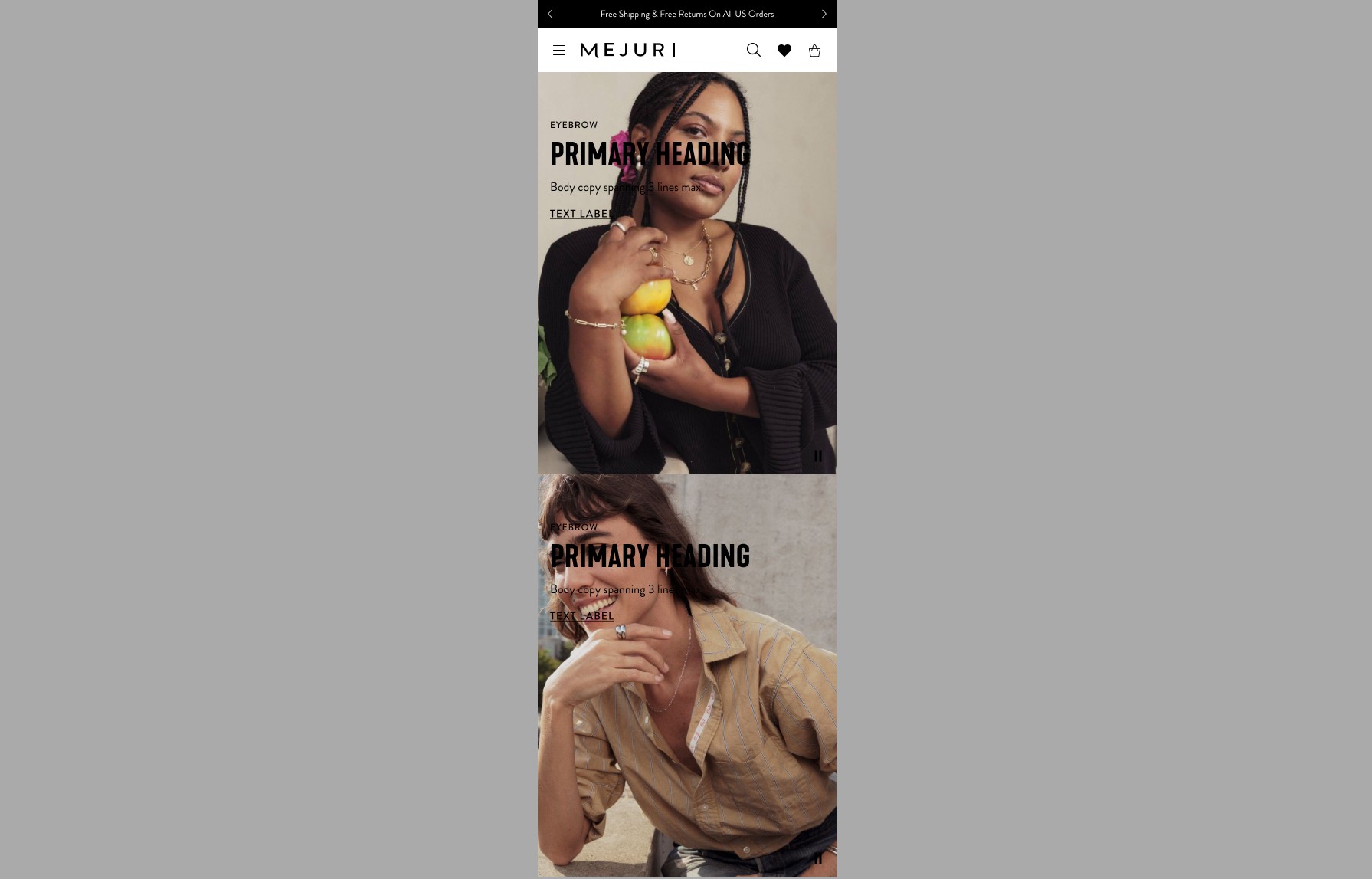
Side Kick 1/2 Desktop (Full Bleed + Full Bleed)
Media Type= Image or Video
Top Layout - Full Bleed
- •
Full Bleed Content Alignment - Top Left
- •
Full Bleed Text Alignment - Left
Bottom Layout - Full Bleed
- •
Full Bleed Content Alignment - Top Left
- •
Full Bleed Text Alignment - Left
Veil options - Yes

Side Kick 1/2 Desktop (Full Bleed + Inset)
Media Type= Image or Video
Left Layout - Full Bleed
- •
Full Bleed Content Alignment - Top Left
- •
Full Bleed Text Alignment - Left
Right Layout - Inset
- •
Inset Content Alignment - Top Center
- •
Inset Text Alignment - Center
Veil options - Yes
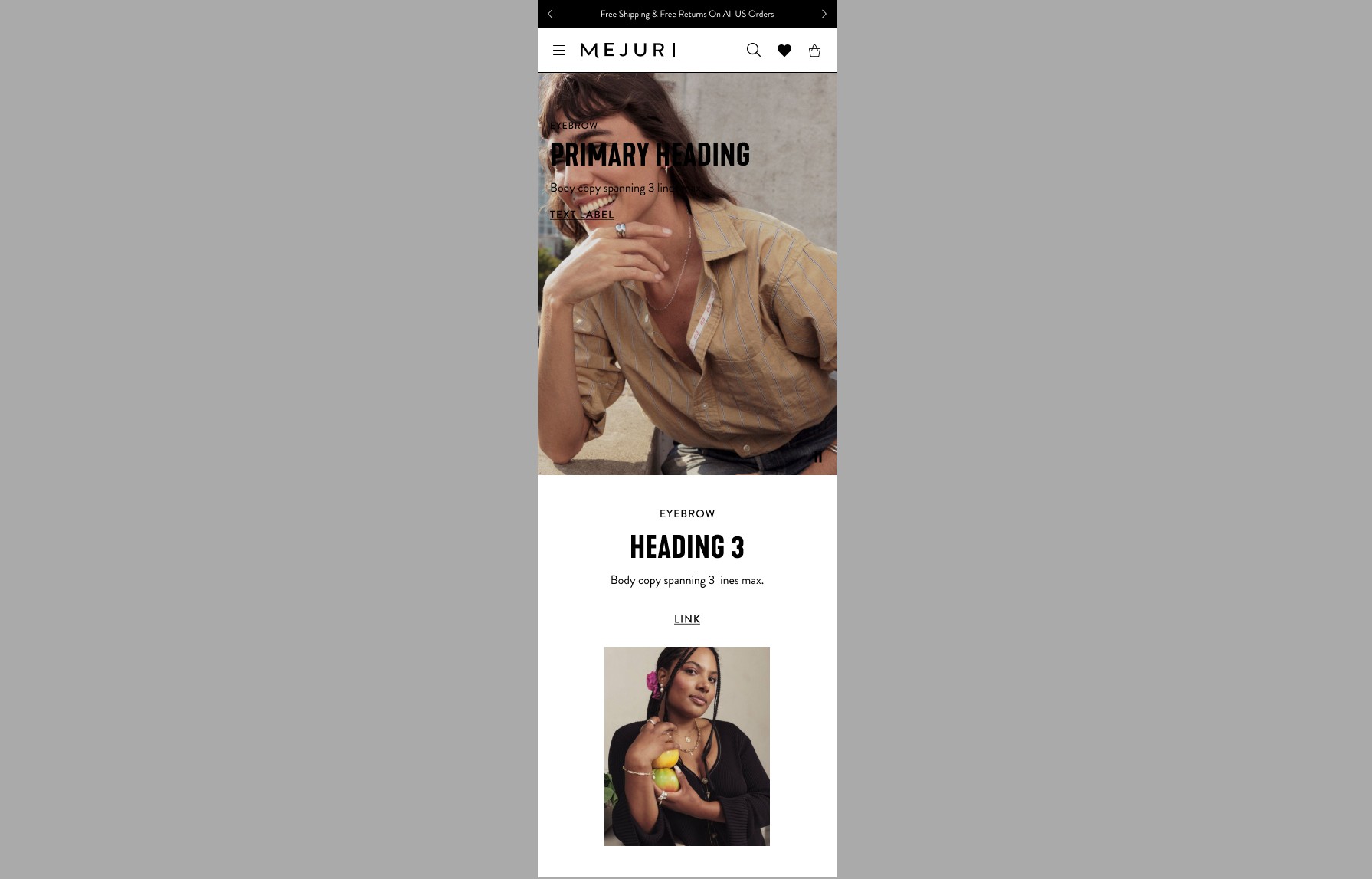
Side Kick 1/2 Desktop (Full Bleed + Inset)
Media Type= Image or Video
Top Layout - Full Bleed
- •
Full Bleed Content Alignment - Top Left
- •
Full Bleed Text Alignment - Left
Bottom Layout - Inset
- •
Inset Content Alignment - Top Center
- •
Inset Text Alignment - Center
Veil options - Yes

Side Kick 1/2 Desktop (Inset + Full Bleed)
Media Type= Image or Video
Left Layout - Inset
- •
Inset Content Alignment - Top Center
- •
Inset Text Alignment - Center
Right Layout - Full Bleed
- •
Full Bleed Content Alignment - Top Left
- •
Full Bleed Text Alignment - Left
Veil options - Yes
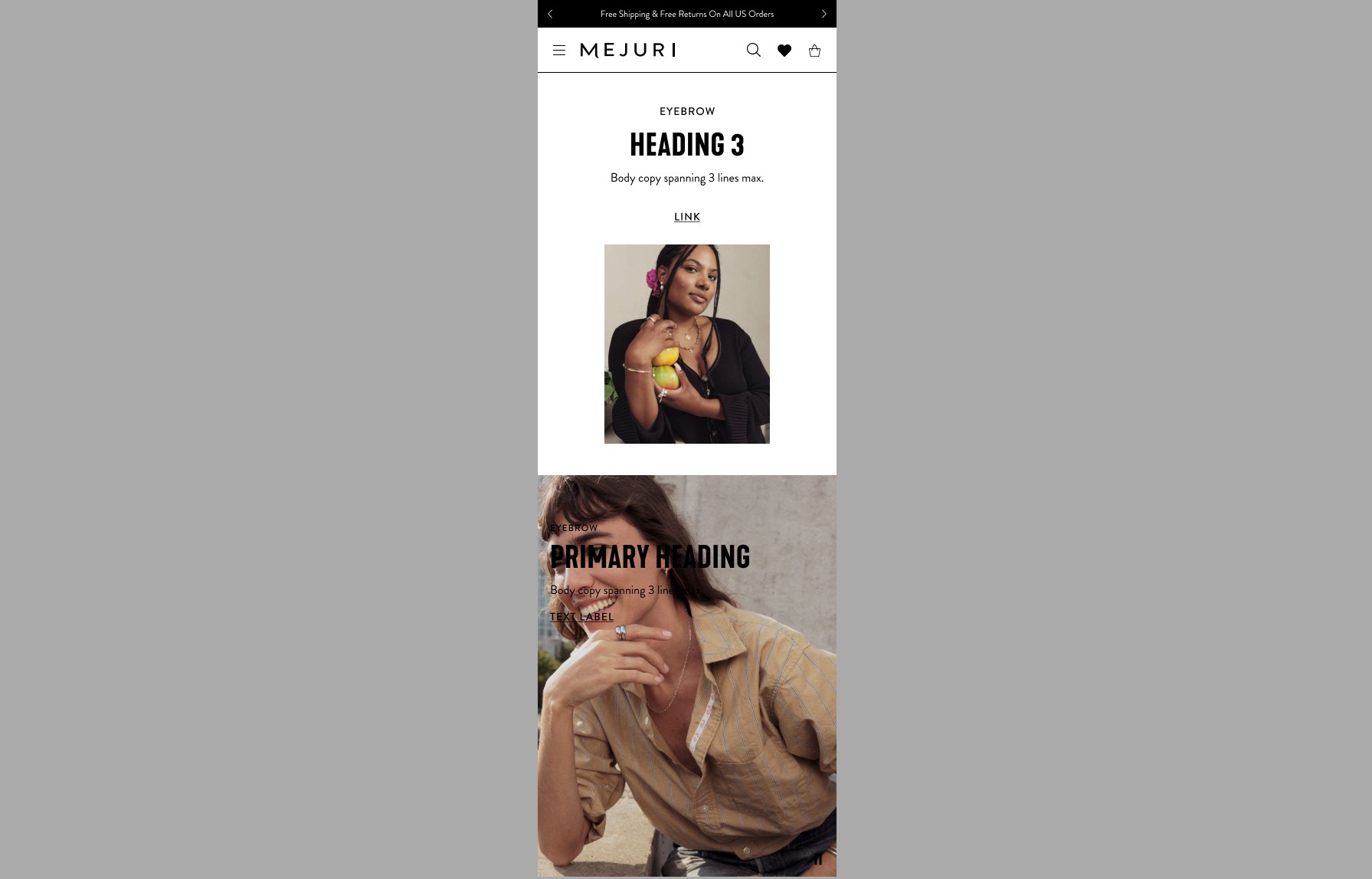
Side Kick 1/2 Mobile (Inset + Full Bleed)
Media Type= Image or Video
Left Layout - Inset
- •
Inset Content Alignment - Top Center
- •
Inset Text Alignment - Center
Right Layout - Full Bleed
- •
Full Bleed Content Alignment - Top Left
- •
Full Bleed Text Alignment - Left
Veil options - Yes

Side Kick 1/2 Desktop (Inset + Inset)
Media Type= Image or Video
Left Layout - Inset
- •
Inset Content Alignment - Top Center
- •
Inset Text Alignment - Center
Right Layout -Inset
- •
Inset Content Alignment - Top Center
- •
Inset Text Alignment - Center
Veil options - Yes

Side Kick 1/2 Mobile (Inset + Inset)
Media Type= Image or Video
Left Layout - Inset
- •
Inset Content Alignment - Top Center
- •
Inset Text Alignment - Center
Right Layout - Inset
- •
Inset Content Alignment - Top Center
- •
Inset Text Alignment - Center
Veil options - Yes

Side Kick 1/2 Desktop
(Inset with Background Colour+ Inset with Background Colour)
Media Type= Image or Video
Background Color= Yes
Left Layout - Inset
- •
Inset Content Alignment - Top Center
- •
Inset Text Alignment - Center
Right Layout -Inset
- •
Inset Content Alignment - Top Center
- •
Inset Text Alignment - Center
Veil options - Yes

Side Kick 1/2 Mobile
(Inset with Background Colour+ Inset with Background Colour)
Media Type= Image or Video
Background Color= Yes
Left Layout - Inset with Background Colour
- •
Inset Content Alignment - Top Center
- •
Inset Text Alignment - Center
Right Layout - Inset with Background Colour
- •
Inset Content Alignment - Top Center
- •
Inset Text Alignment - Center
Veil options - Yes
Side Kick 1/2 Full Bleed Content Alignment Options
Content can be placed in a variety of different positions on the Side Kick 1/2 Full Bleed. These examples show content alignments. Text alignment can also vary (left, center and right)
Ensure text meets accessibility contrast ratios when placing over images and backgrounds.
Side Kick 1/2 Desktop (Top Left)
Media Type= Image or Video
Layout - Full Bleed
Content Alignment - Top Left
Text Alignment - Left
Veil options - Yes
Side Kick 1/2 Mobile (Top Left)
Media Type= Image or Video
Layout - Full Bleed
Content Alignment - Top Left
Text Alignment - Left
Veil options - Yes

Side Kick 1/2 Desktop(Top Center)
Media Type= Image or Video
Layout - Full Bleed
Content Alignment - Top Center
Text Alignment - Center
Veil options - Yes
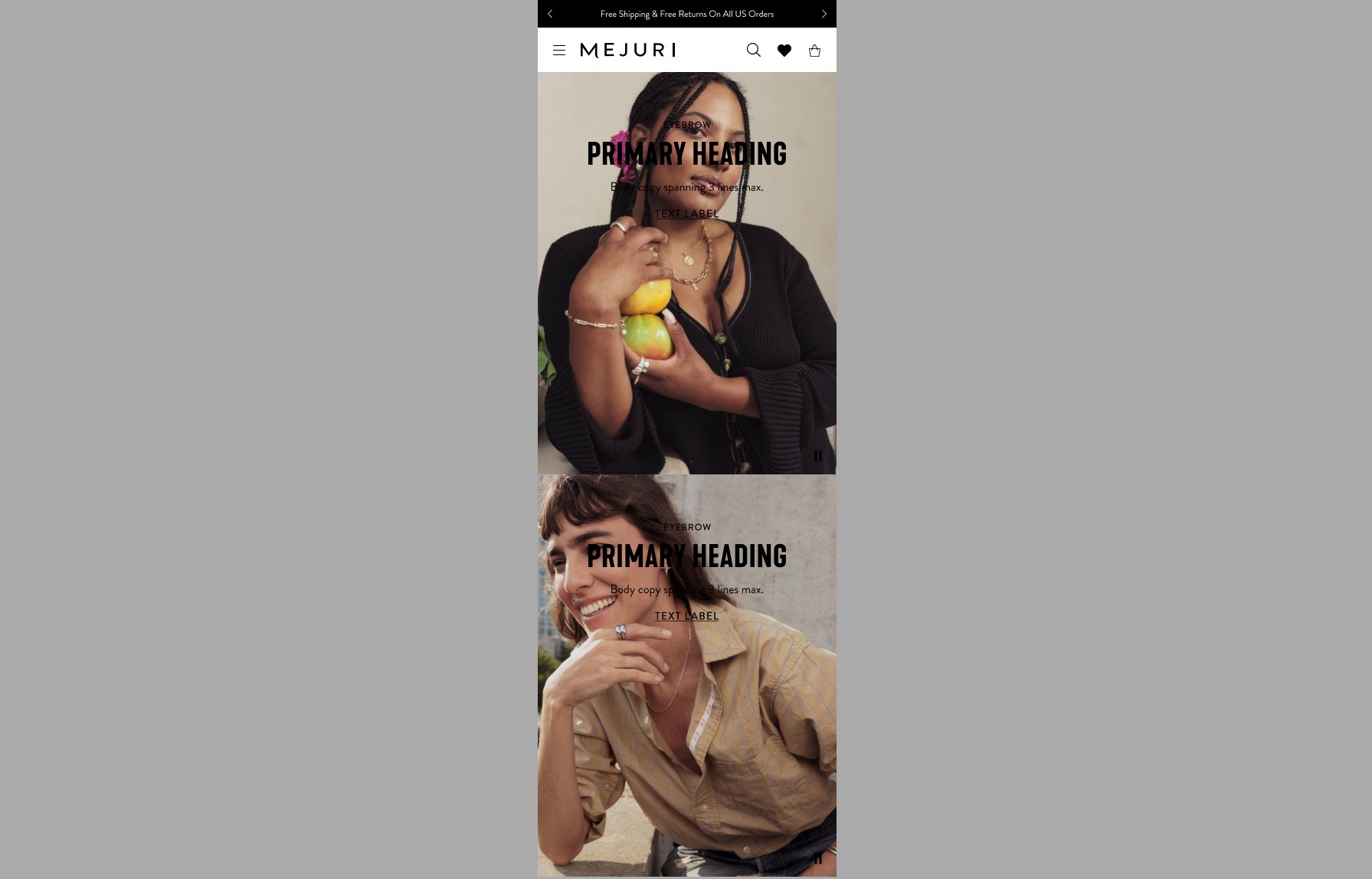
Side Kick 1/2 Mobile (Top Center)
Media Type= Image or Video
Layout - Full Bleed
Content Alignment - Top Center
Text Alignment - Center
Veil options - Yes

Side Kick 1/2 Desktop (Top Right)
Media Type= Image or Video
Layout - Full Bleed
Content Alignment - Top Right
Text Alignment - Right
Veil options - Yes
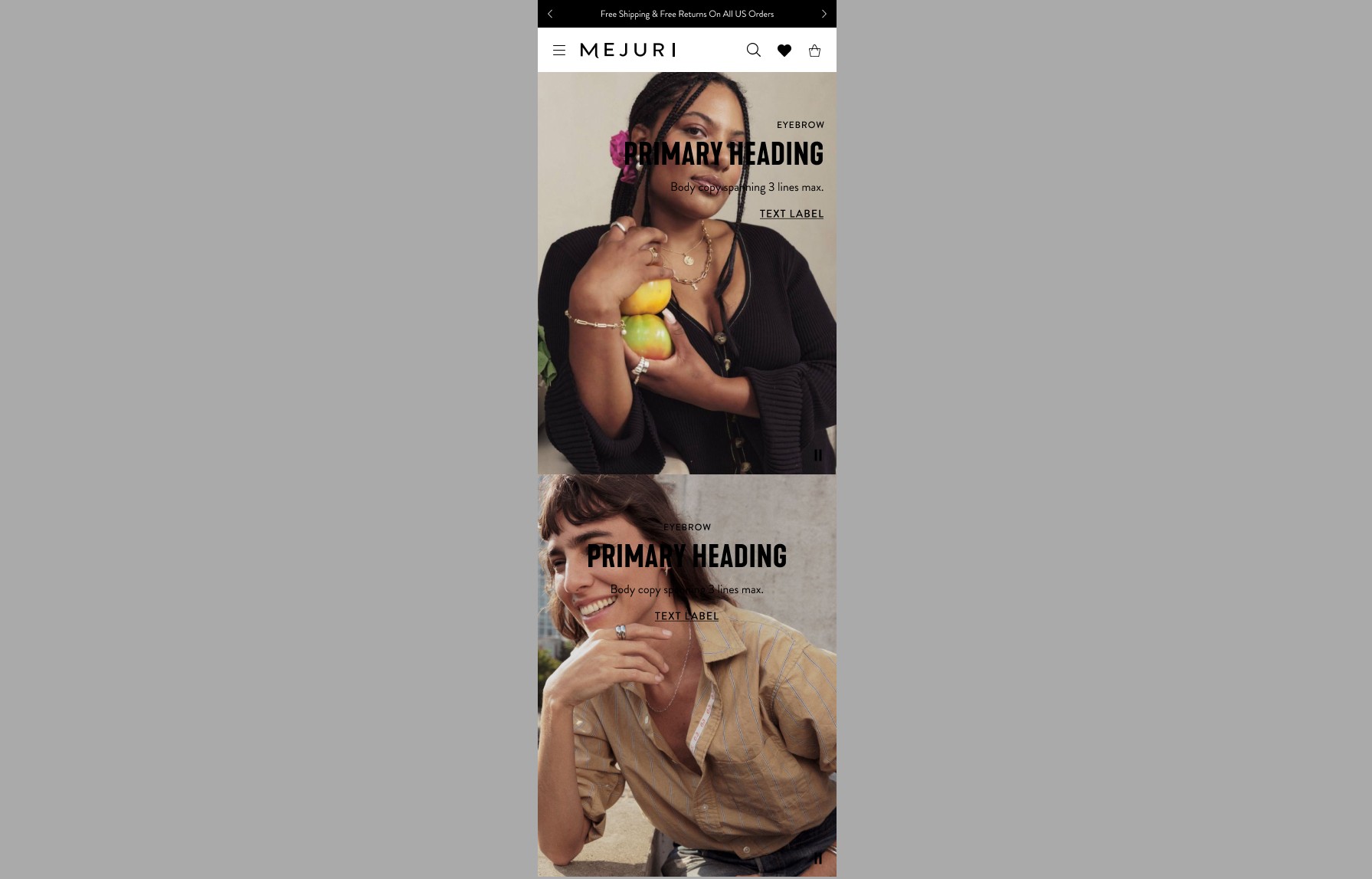
Side Kick 1/2 Mobile (Top Right)
Media Type= Image or Video
Layout - Full Bleed
Content Alignment - Top Right
Text Alignment - Right
Veil options - Yes

Side Kick 1/2 Desktop (Center Left)
Media Type= Image or Video
Layout - Full Bleed
Content Alignment - Center Left
Text Alignment - Left
Veil options - Yes
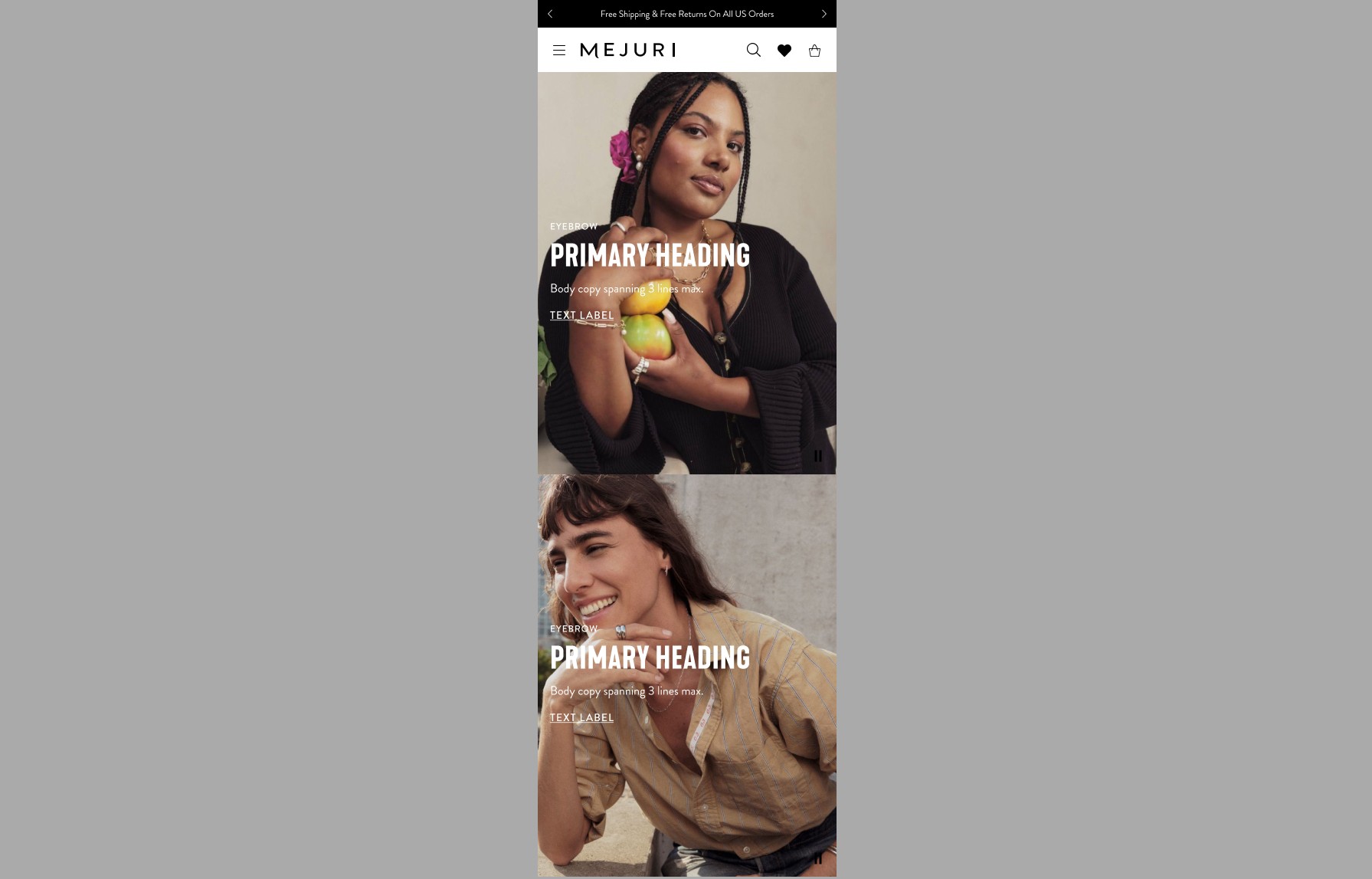
Side Kick 1/2 Mobile (Center Left)
Media Type= Image or Video
Layout - Full Bleed
Content Alignment - Center Left
Text Alignment - Left
Veil options - Yes

Side Kick 1/2 Desktop (Center Center)
Media Type= Image or Video
Layout - Full Bleed
Content Alignment - Center Center
Text Alignment - Center
Veil options - Yes
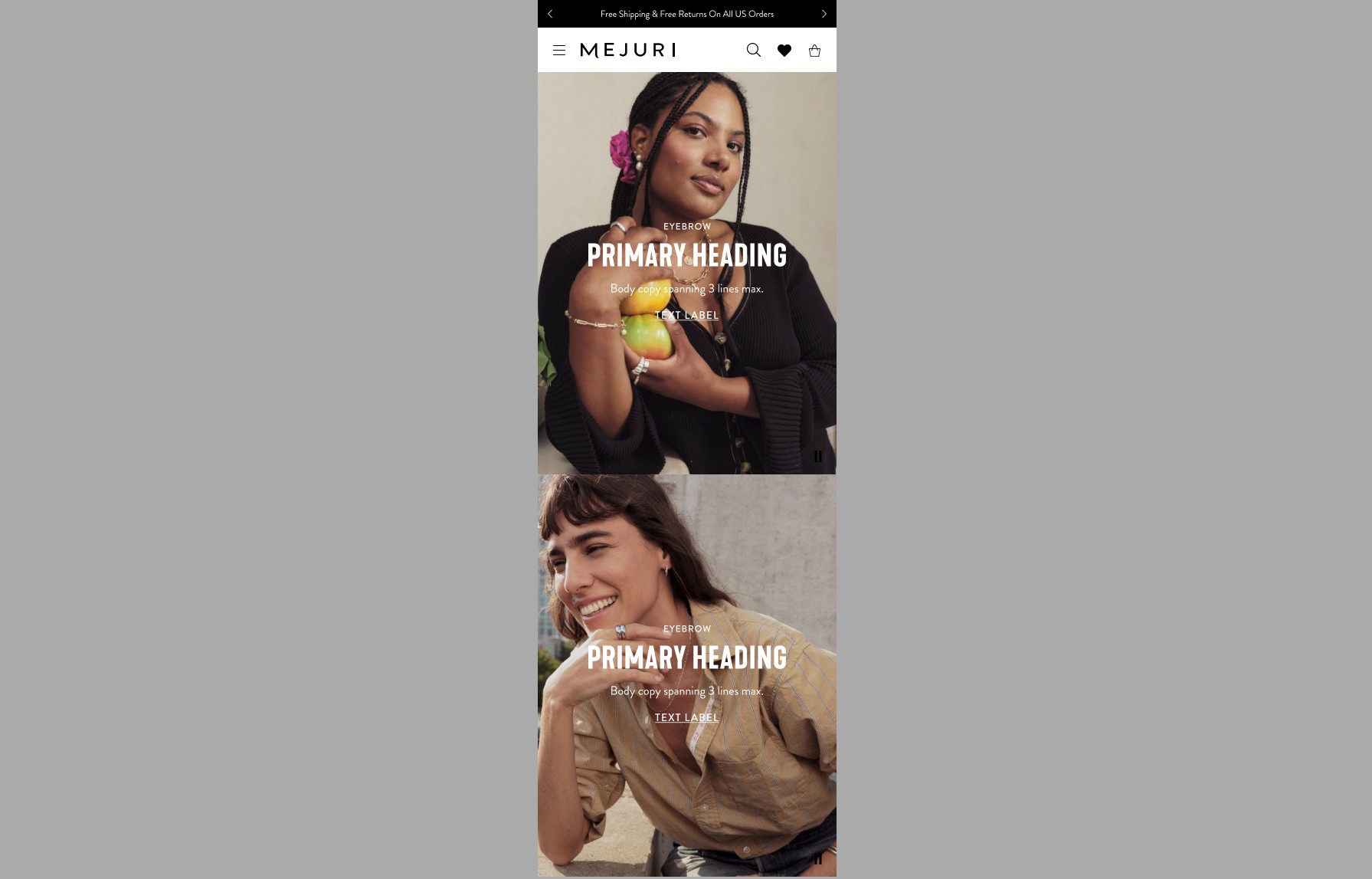
Side Kick 1/2 Mobile (Center Center)
Media Type= Image or Video
Layout - Full Bleed
Content Alignment - Center Center
Text Alignment - Center
Veil options - Yes

Side Kick 1/2 Desktop (Center Right)
Media Type= Image or Video
Layout - Full Bleed
Content Alignment - Center Right
Text Alignment - Right
Veil options - Yes
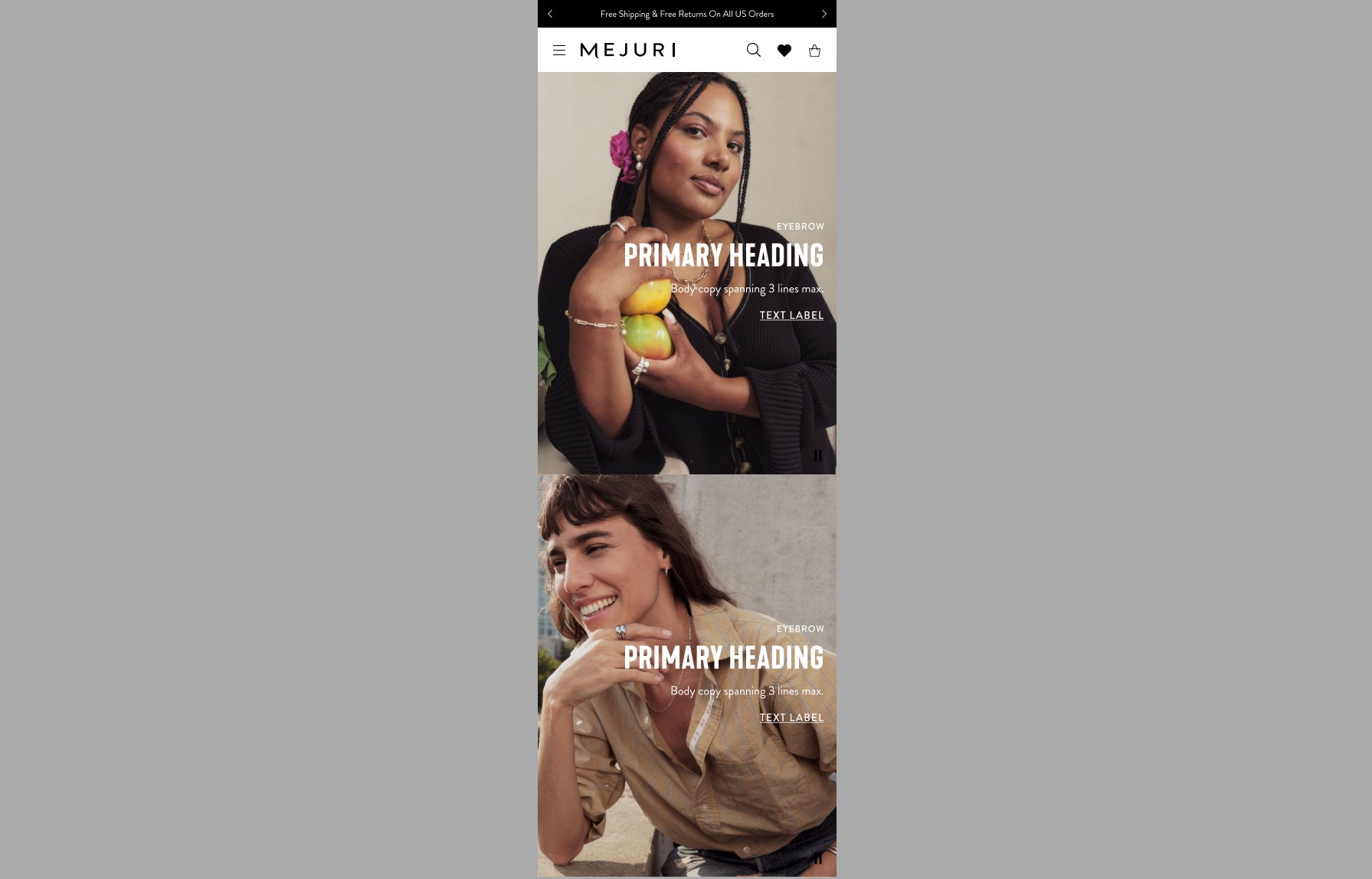
Side Kick 1/2 Mobile (Center Right)
Media Type= Image or Video
Layout - Full Bleed
Content Alignment - Center Right
Text Alignment - Right
Veil options - Yes

Side Kick 1/2 Desktop (Bottom Left)
Media Type= Image or Video
Layout - Full Bleed
Content Alignment - Bottom Left
Text Alignment - Left
Veil options - Yes
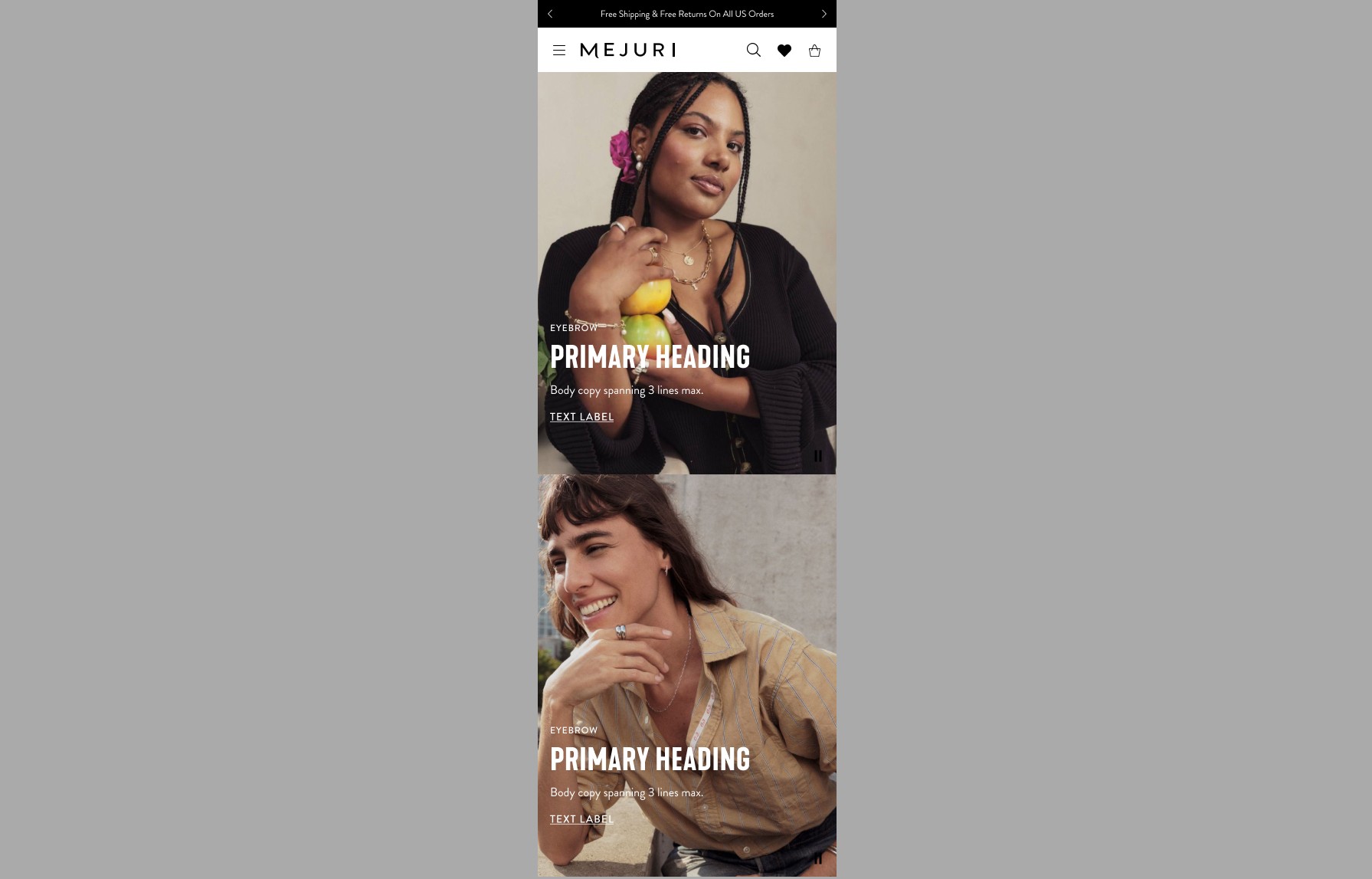
Side Kick 1/2 Mobile (Bottom Left)
Media Type= Image or Video
Layout - Full Bleed
Content Alignment - Bottom Left
Text Alignment - Left
Veil options - Yes

Side Kick 1/2 Desktop (Bottom Center)
Media Type= Image or Video
Layout - Full Bleed
Content Alignment - Bottom Center
Text Alignment - Center
Veil options - Yes
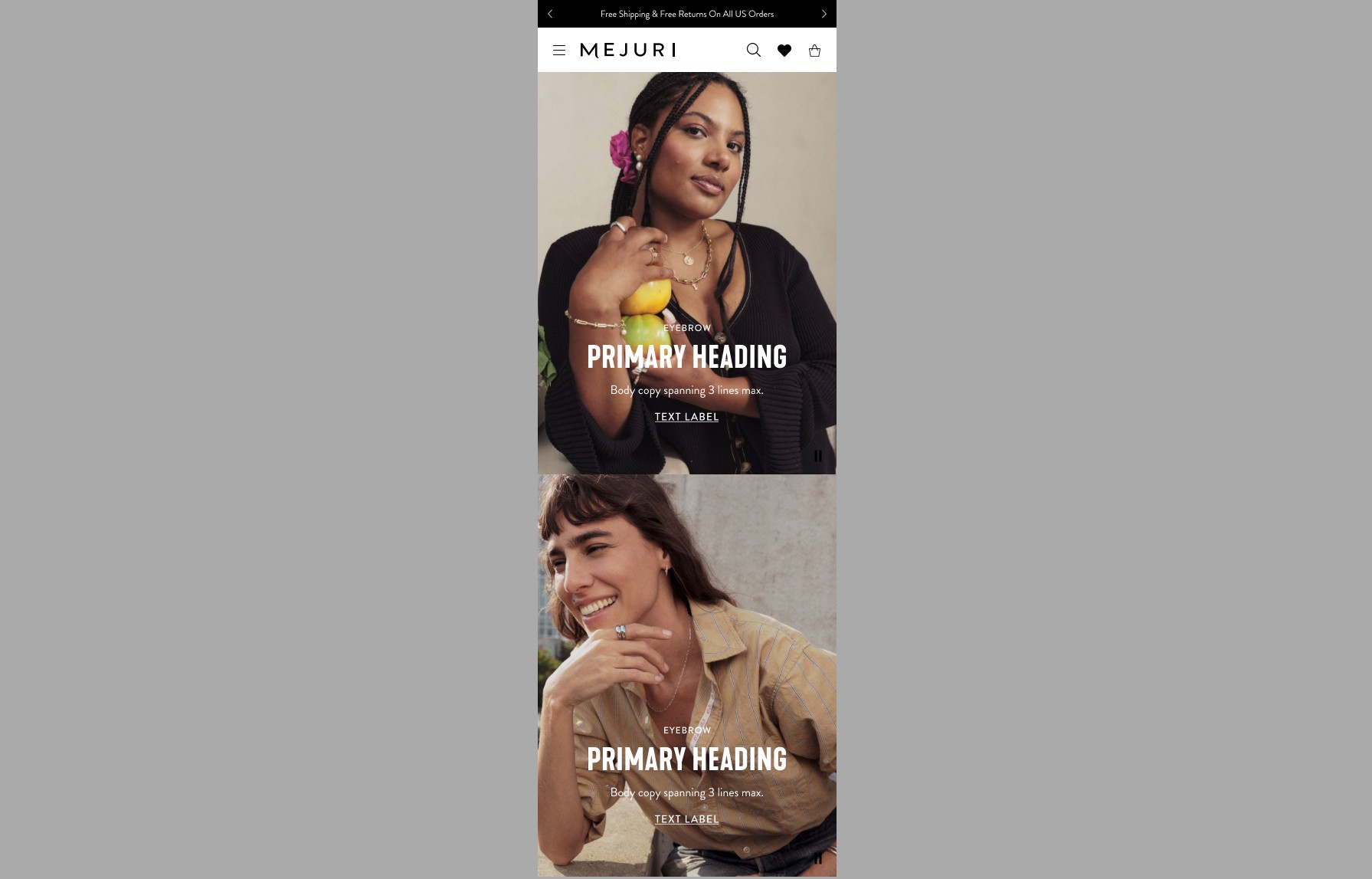
Side Kick 1/2 Mobile (Bottom Center)
Media Type= Image or Video
Layout - Full Bleed
Content Alignment - Bottom Center
Text Alignment - Center
Veil options - Yes

Side Kick 1/2 Desktop (Bottom Right)
Media Type= Image or Video
Layout - Full Bleed
Content Alignment - Bottom Right
Text Alignment - Right
Veil options - Yes
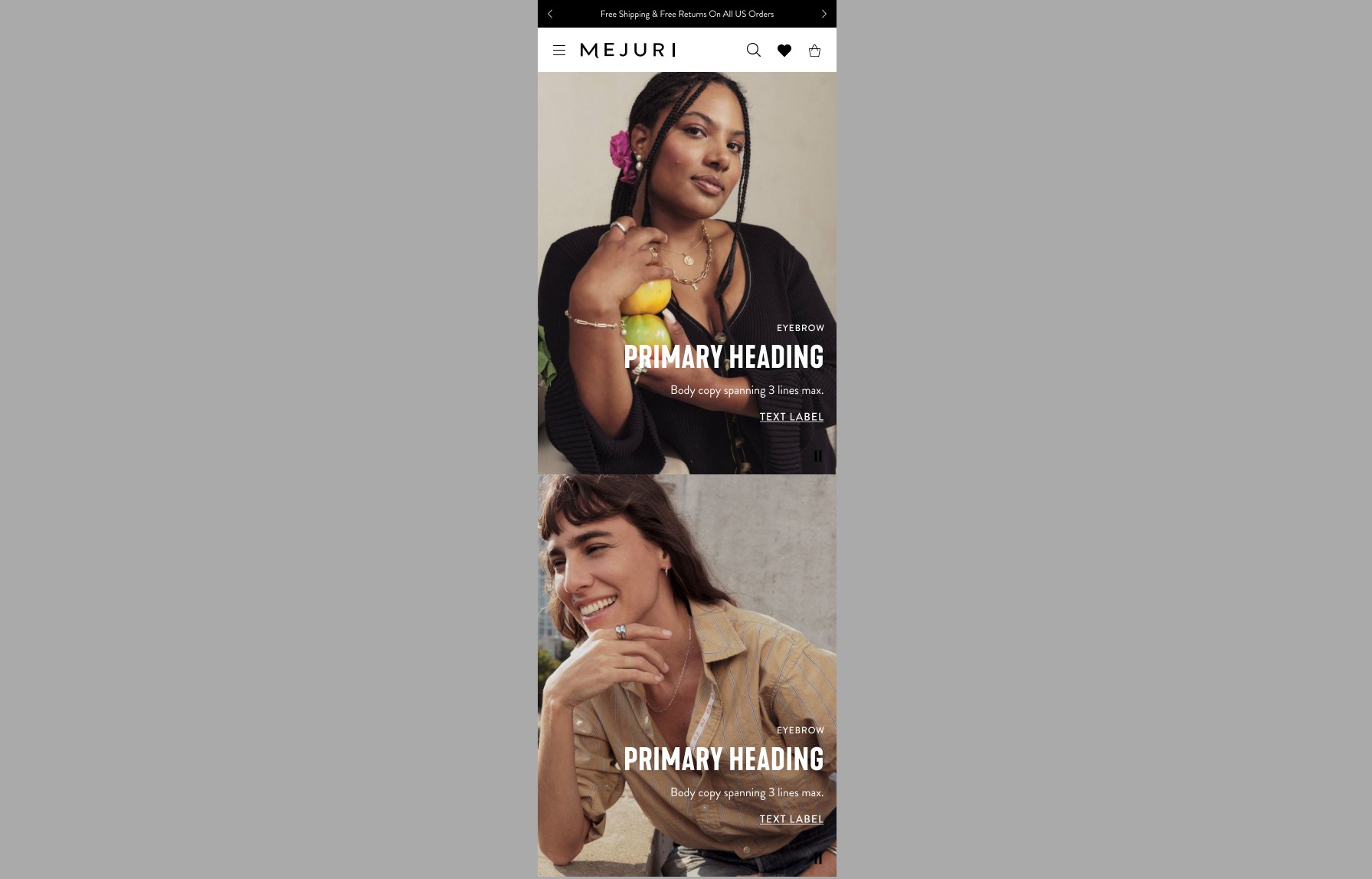
Side Kick 1/2 Desktop (Bottom Right)
Media Type= Image or Video
Layout - Full Bleed
Content Alignment - Bottom Right
Text Alignment - Right
Veil options - Yes
Button Styles
Various buttons and links can be used in the Hero Component

Primary Black BG and White BG

Primary Inverse

Primary Link
